A seal for greater transparency: what is the TIMOCOM Business Partner Check?
The TIMOCOM freight exchange offers transport companies access to new transport orders — often from customers who do not yet know the service provider. The TIMOCOM Business Partner Check supports you in the selection process: with the Checked Company seal, you can present your business as a checked transport company and improve your chances of being chosen more quickly by customers. This creates greater transparency around reliability and helps you win new transport orders.
More orders for transport companies: your benefits with the freight exchange and Business Partner Check
More visibility
Get access to the United Kingdom and Europe’s innovative freight exchange with up to {$const.freight-and-vehicle-number} million freight and vehicle space offers daily.
Better chances of winning orders
Customers prefer checked companies. With the Checked Company seal, you improve your chances of being commissioned.
Faster commissioning
Reduce coordination effort and speed up the process from enquiry to order placement.
Finding new freight orders with the Checked Company seal – 3 steps
Register on the TIMOCOM Road Freight Marketplace to gain access to the freight exchange
Upload company documents for review and receive the Checked Company seal.
Choose from up to {$const.freight-and-vehicle-number} million international freight and vehicle space offers every day and win new customers.
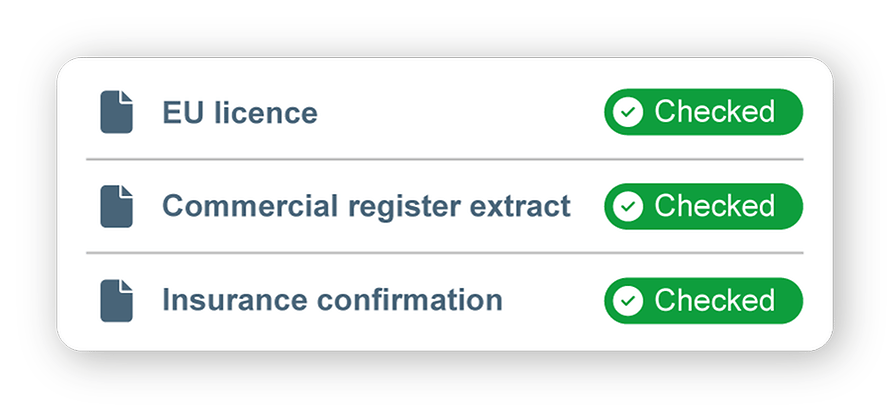
With the Business Partner Check, transport companies have the opportunity to regularly verify their business using relevant documents (including EU licence, commercial register extract, insurances). Once the check is completed successfully, the Checked Company seal appears in your TIMOCOM company profile. This allows customers to view all important company documents at a glance and make a decision based on them.
The TIMOCOM Business Partner Check offers clear benefits for both customers and service providers.
For service providers, the Checked Company seal is an important quality marker that highlights trustworthiness and helps them stand out.
For customers, the Checked Company seal supports confident decision-making. Transparent company profiles help you identify suitable transport partners before you start working together. In addition, collaborating with checked business partners and authenticated documents strengthens the security of your network.
If you are not yet a TIMOCOM customer, you first need to register for the TIMOCOM Road Freight Marketplace. The monthly flat rate depends on the number of users, the minimum contract term and the payment cycle. Once registered, you can carry out the Business Partner Check straight away.
Already registered with TIMOCOM? Here you can find out where to access the Business Partner Check.
The check is free of charge. At TIMOCOM, the security of our Marketplace is our top priority. Alongside our strict admission criteria, the Business Partner Check provides additional transparency to support confident commissioning decisions.
The check usually takes only a few minutes. However, in rare cases, delays may occur, for example due to technical failures. In most cases, the check should be completed within 10-15 minutes.
Authorised persons include all managing directors and decision-makers of a company, as well as all individuals who hold the power of attorney or authority to make decisions on behalf of the company.
Of course, you can revoke your consent to the Business Partner Check at any time. However, please note that by revoking it, you will lose your entitlement to the Checked Company seal. In this case, TIMOCOM GmbH will no longer be authorised to continue checking your documents. To revoke your consent, go to the document settings and click on "Revoke consent".
Once the check has been completed, you can see the status in your document overview. There are two common reasons why a document may not receive the “Checked” status:
Invalid:If your uploaded document is marked as “Invalid”, please make sure you have uploaded a current, valid document. If the document is correct but still shown as “Invalid”, please contactcustomer service.
Missing:If an uploaded document cannot be checked, please confirm that it is visible in your company profile.